Train smarter. Eat with intent.
Scan your gym's equipment. Recognise your meals. Get an AI workout plan built around the kit you actually have.
Version 1.0.1 · Android · Updated 2026-10-03
What the app does
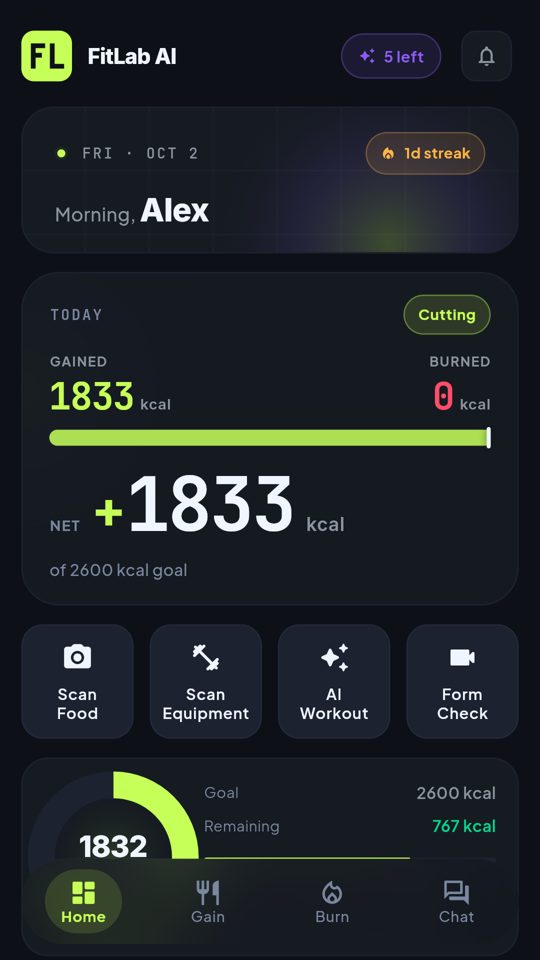
One view of your day
Calories gained and burned, net total against your goal, protein, carbs and fat on the home screen, plus your streak.
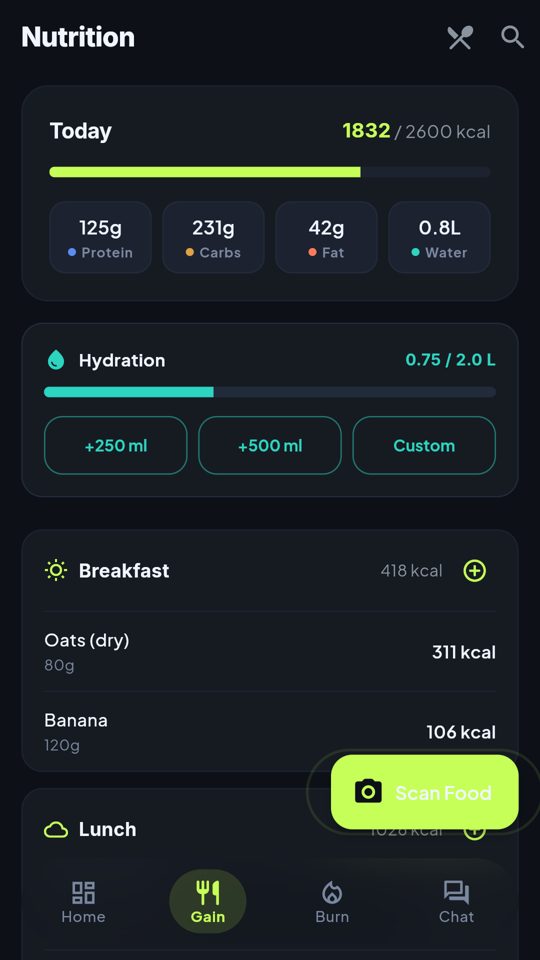
Scan food
Photograph a meal for an AI match and portion suggestion, scan a packaged product barcode, or search the food database. One-tap water tracking.
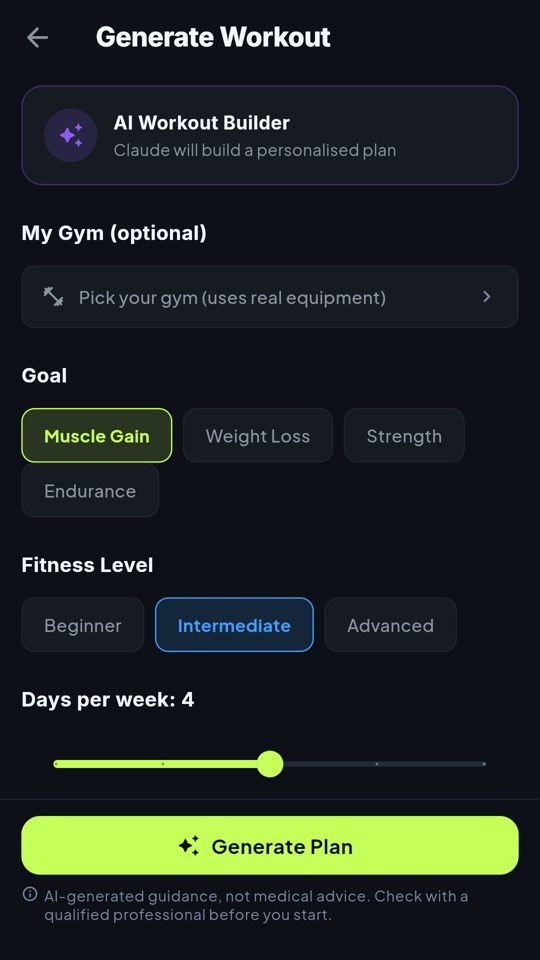
AI workouts
Set your goal, level, days per week, session length and equipment. The AI builds a plan, or pick a ready-made routine.
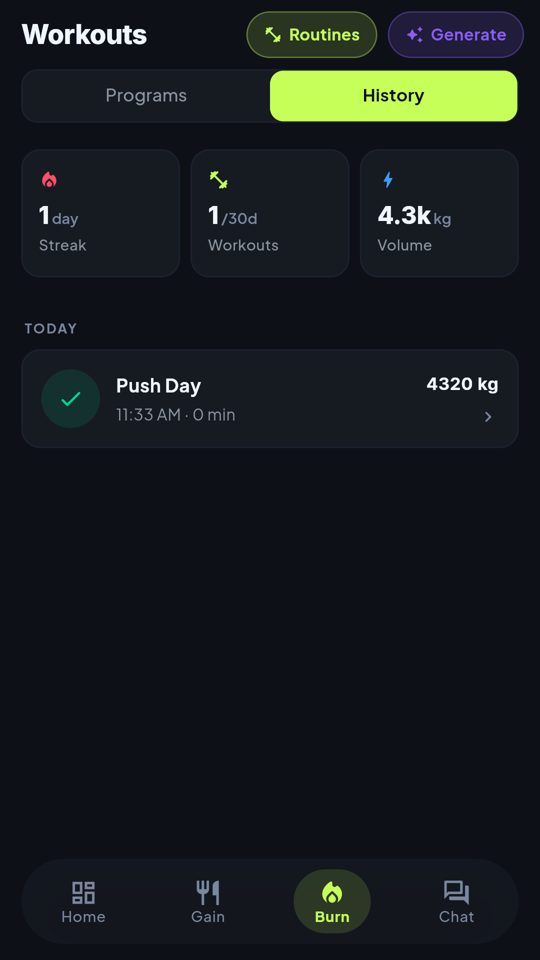
Log and review
Log sets, reps and weight. See history, total volume, personal records and weekly trends.
Scan equipment
Photograph a gym machine and the AI tells you what it is.
Form check
Upload a short video of an exercise and get AI feedback on your technique.
AI coach chat
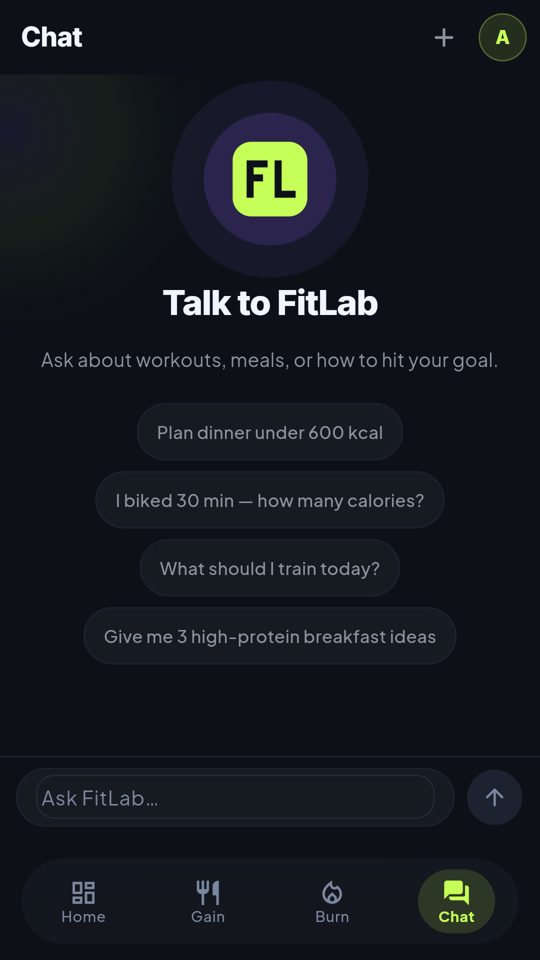
Ask about workouts and meals. The coach can propose logging a meal or water, and nothing is saved until you confirm.
Works with your phone
Optional Health Connect sync, reminders, a home screen widget, and offline meal and water logs that sync later.
Free to start. Upgrade when you need more.
The free plan needs no credit card.
- 5 AI scans per day
- 1 AI workout per month
- Contains ads
- 30 AI scans per day
- 10 AI workouts per month
- No ads
- Unlimited AI scans
- Unlimited AI workouts
- No ads
Prices shown are for the web app, in US dollars. The price you pay on Android is shown in Google Play at purchase.
Use it in the browser, on Android, or in Telegram
On iPhone: add the web app to your home screen
- 01
Open in Safari
Visit aifitness.nextgenbeing.com/play/ in Safari. Apple only lets Safari add web apps to the home screen.
- 02
Share, then Add to Home Screen
Tap the Share button at the bottom of Safari and choose Add to Home Screen.
- 03
Open it from your home screen
The FitLab icon opens the app full-screen, without browser bars.